
Why Automate Sales Processes: Transforming Efficiency
Sales Operations leaders in mid-sized European IT firms know the struggle of juggling CRM entries, follow-up emails, and repetitive pipeline tasks while deal momentum slips away. Administrative overload drains attention from strategic selling and client relationships. Automation tackles these recurring inefficiencies by handling routine work—so your team stays focused where it matters. This article clarifies sales process automation, debunks common myths, and highlights how embracing intelligent automation delivers measurable improvements in speed, accuracy, and sales effectiveness.
| Point | Details |
|---|---|
| Sales Automation Enhances Efficiency | By automating repetitive tasks such as data entry and follow-ups, sales teams can focus more on closing deals and building client relationships. |
| Understanding Automation’s Limits is Crucial | Successful implementation requires optimized processes; automating broken workflows can exacerbate existing issues. |
| Data Quality is Essential for Success | Accurate and clean data is necessary for reliable automation; poor data hinders effective sales strategies and forecasting. |
| Training and Change Management are Key | Continuous training and support for teams ensure proper adoption of automation tools and maximize their benefits. |
Sales process automation isn’t magic. It’s simply using technology to handle repetitive manual tasks so your team can focus on what actually closes deals—client relationships and strategic selling.
Here’s what’s really happening: Sales automation uses technology to reduce manual effort throughout your entire sales cycle, from lead generation to customer retention. It captures data automatically, schedules follow-ups, qualifies prospects, and tracks pipeline movement without human intervention for each step.
For mid-sized IT firms, this matters because your teams are drowning in administrative overhead. A sales rep juggling CRM entries, email follow-ups, meeting scheduling, and proposal tracking loses hours each week that could go toward closing business.
Modern sales automation touches every stage:
Successful automation requires understanding its scope and limitations—it’s not about replacing your team, it’s about removing friction so they work smarter.
There’s a lot of noise around sales automation. Let’s debunk what’s actually holding European IT firms back.
Myth 1: Automation replaces salespeople.
False. Automation removes administrative burden so salespeople can actually sell. Your best rep shouldn’t spend 40% of their week updating Salesforce or scheduling meetings. Automation handles that. They handle relationships.
Myth 2: You can automate without optimizing processes first.
This is where most implementations fail. Automating a broken process just scales the problem faster. You need process precision through structured sales operations before automation delivers ROI.
Myth 3: AI and automation solve all sales inefficiencies.
Not even close. Automation amplifies what’s working and what’s broken. If your sales methodology is unclear, your qualification criteria fuzzy, or your messaging inconsistent, automation just makes those issues faster and more expensive.
Myth 4: Implementation is quick and painless.
Automation requires discipline. Your team must follow processes consistently for automation to work. If reps vary their approach or skip steps, automation fails.
IT services sales cycles are complex. You’re managing multiple stakeholders, long decision timelines, and technical conversations that can’t be automated. Automation handles the overhead so your teams focus on:
The administrative work around these activities—that’s what disappears.
Pro tip: Start by mapping your current sales process and identifying where your team spends time on repetitive tasks versus client-facing activity. Automate the repetitive work first, then scale from there.
Not all automation is created equal. Your IT firm needs different automation tools depending on where your sales process leaks time and where deals get stuck.
Think of sales automation in layers. Each layer handles a specific problem your team faces. You don’t need every layer immediately, but understanding what’s available helps you prioritize smartly.
Lead automation and contact management form your foundation. Lead automation captures prospects from multiple sources—your website, events, partner referrals, inbound inquiries—and scores them automatically based on criteria you define.

Contact automation keeps client data clean and current. Phone numbers update, job titles change, company information shifts. Automation ensures your team works with accurate information, not outdated records from three months ago.
Once you have leads and contacts sorted, engagement automation takes over. Email automation handles personalized outreach at scale—not spam, but triggered sequences based on prospect behavior.
Prospect downloads your technical whitepaper? Automated sequence starts. They open three emails in a row? Different sequence triggers. They go silent for two weeks? Nurture campaign activates.
Pipeline and task automation keeps deals moving. The system automatically:
Automation amplifies discipline—when your process is clear and consistent, automation handles the execution at scale.
For IT firms selling complex solutions, quote and proposal automation saves your team dozens of hours monthly. Configuration-based quoting lets sales reps generate accurate proposals in minutes, not days.
Pre-built components, pricing rules, and compliance requirements auto-fill based on customer specifications. Your rep selects the infrastructure requirements, and the system builds the proposal with accurate pricing, technical specs, and terms.
Post-sale automation kicks in after signature. Order processing, implementation scheduling, resource allocation—these move automatically from sales to delivery without manual handoffs.
Here’s how sales automation streamlines different stages of the sales cycle and impacts IT businesses:
| Stage of Sales Cycle | Automation Function | Business Impact |
|---|---|---|
| Lead Management | Automated data capture | Increased lead accuracy |
| Prospect Engagement | Triggered email sequences | Personalized outreach at scale |
| Pipeline Progression | Automated deal updates | Faster deal movement |
| Quote & Proposal | Configuration-based quoting | Reduced proposal errors |
| Reporting & Analytics | Real-time dashboards | Improved forecasting visibility |
Reporting automation pulls real-time data without someone manually building spreadsheets. Your leadership sees pipeline health, conversion rates, velocity, and forecast accuracy instantly.
For European IT firms managing complex deal structures, this visibility matters. You spot trends fast. You see which reps close deals in 45 days versus 120 days. You identify which industries move fastest.
The specificity helps. You’re not guessing—you’re reacting to actual data.
Your tech sales cycle is different from SaaS. You’re managing:
Automation handles everything except those critical conversations. It eliminates the administrative friction around them.
Pro tip: Start with lead automation and contact management, then add email automation once those are locked in. Add quote automation only after your sales methodology is clearly defined and repeatable.
Streamlining workflows means removing friction. Every step your team repeats manually is a moment they’re not selling. Automation takes those repetitive steps and handles them consistently, at scale, without human intervention.
Here’s what actually happens when you implement workflow automation: your sales reps stop doing administrative work and start doing what they’re paid for—closing deals.
Sales automation eliminates manual tasks like data entry, follow-up scheduling, lead routing, and status updates. Think about your team right now. How much time does your top performer spend in your CRM updating fields instead of talking to prospects?
That’s the time automation reclaims. A rep spending 90 minutes daily on administrative tasks now has those 90 minutes back for discovery calls, proposal refinement, and relationship building.
For a five-person sales team, that’s 450 minutes weekly. That’s nearly 40 hours monthly freed up.
Manual processes are inconsistent. Some reps follow up after two days. Others wait a week. Some qualify leads carefully. Others skip qualification entirely and dump everything into the pipeline.
Automation enforces consistency. Every lead follows the same qualification path. Every prospect gets follow-ups on the same schedule. Every deal moves through stages based on defined criteria, not rep preference.
This matters for forecasting accuracy. When your process is consistent, your pipeline is predictable.
Intelligent automation integrates data across your CRM, email, and calendar systems. Your sales leaders see pipeline health instantly—not yesterday’s snapshot.
Your VP of Sales opens the dashboard and sees:
No manual reporting. No waiting for someone to compile spreadsheets. Real-time, actionable data.
When administrative friction disappears, deals move faster and reps focus their energy on buyers, not busywork.
Automation compresses your sales cycle by removing delays. A prospect submits a form on Friday evening. By Monday morning, they’re automatically scored, routed to the right rep, and that rep has already received a notification with talking points.
Compare that to manual processes where someone reviews the form Tuesday, discusses routing Wednesday, and the rep finally reaches out Thursday.
That’s three lost days. Multiply that across your pipeline, and you’re looking at deals that take 30, 40, or 50 days longer to close.
Your sales cycles are complex. You’re managing multiple stakeholders, technical conversations, and long evaluation periods. You can’t automate those conversations away.
But you can automate everything around them:
Your team’s energy goes where it matters—building relationships and closing deals.
Pro tip: Audit your team’s calendar for one week and log every administrative task. You’ll spot exactly where automation creates the most value for your specific workflow.
Theory is one thing. Results are another. Let’s look at what actually happens when mid-sized European IT firms implement sales automation.
The benefits fall into three measurable categories: speed, accuracy, and focus. Most firms see improvements in all three within the first 90 days.
Automated lead scoring and routing eliminates the manual bottleneck between prospect signup and first contact. A prospect fills out your form on your website at 11 PM on Friday. By 9 AM Monday, they’re scored, routed to the right specialist, and contacted.
Manually, that same process takes three to five business days. You lose momentum. The prospect’s urgency fades.
IT firms report reducing their average sales cycle by 20-30% after implementing routing and lead scoring automation. For a firm with an 120-day average cycle, that’s 24 to 36 days reclaimed.
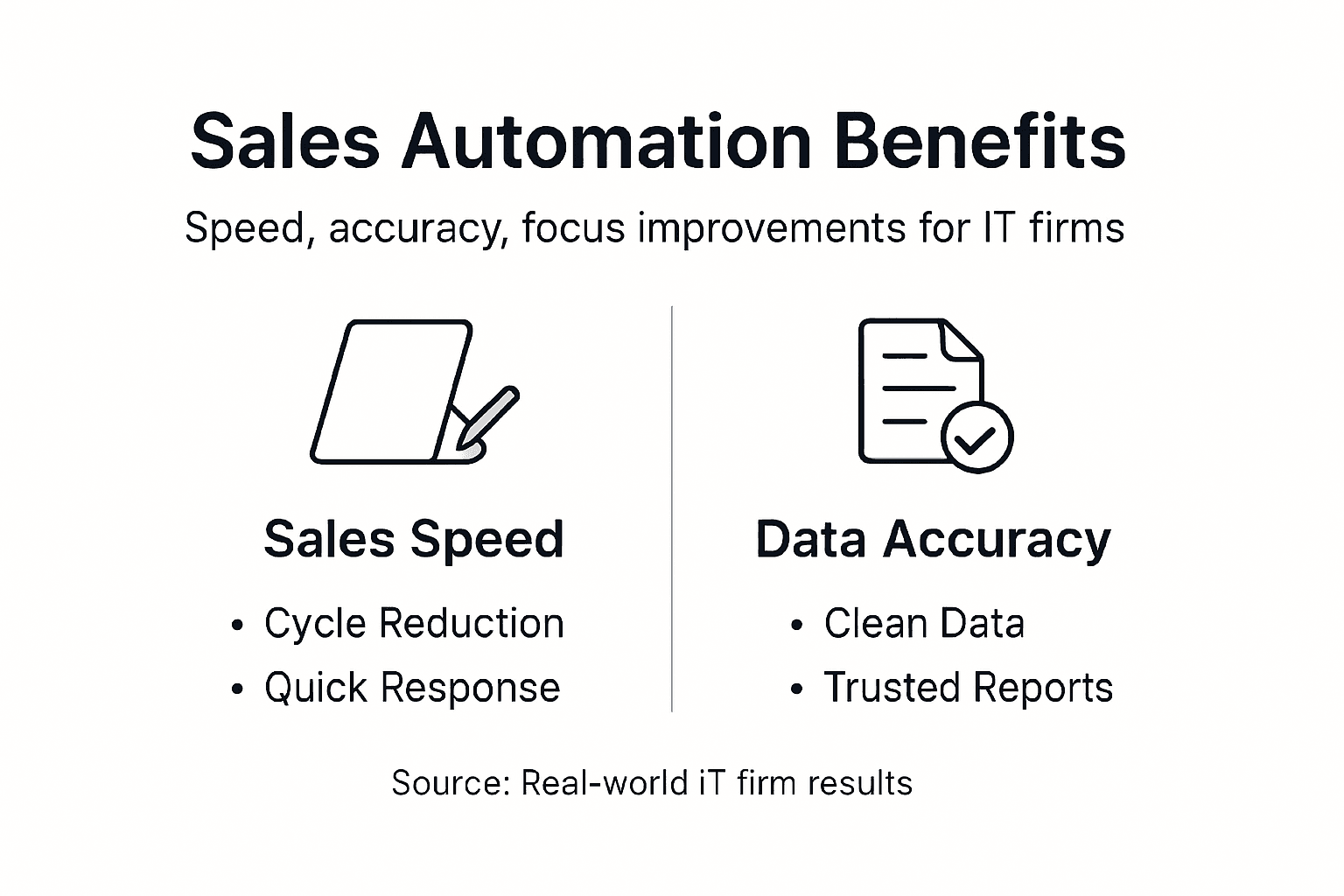
Manual data entry creates errors. Phone numbers get transcribed wrong. Company names get misspelled. Deal values get entered incorrectly. Your forecast becomes fiction.
Automation captures data once at the source—when the prospect fills out your form or when your rep logs the call. That data flows into your CRM automatically, eliminating transcription errors.
Your forecasting accuracy improves because your data is clean. Your leadership can actually trust the pipeline report.
This is the biggest win. Your best performer stops spending three hours daily updating CRM fields and scheduling follow-ups. They spend those three hours on discovery calls, proposal refinement, and closing deals.
Here’s what that looks like:
When your team stops doing busywork, your revenue moves. It’s that direct.
Your IT services deals involve procurement teams, technical leads, and financial decision makers. Each stakeholder gets different information at different times. Manual coordination is a nightmare.
Automation handles it:
Every stakeholder gets engaged appropriately. Nothing falls through cracks.
Your prospects need months to evaluate. During that evaluation period, manual follow-up is inconsistent. Some reps check in weekly. Others forget for a month.
Automation sends consistent touch points based on evaluation milestones. Day 7: technical documentation. Day 21: case study with similar company. Day 45: executive conversation offer. Day 60: final proposal revision.
Your deal stays in the prospect’s mind without feeling like harassment.
Companies using sales automation report measurable results:
These aren’t theoretical. These are what real sales teams measure after implementation.
Pro tip: Start by automating your highest-friction process first—the one that’s costing your team the most time or causing the most deals to slip. Prove the ROI, then expand to other workflows.
Automation isn’t a silver bullet. Deploy it wrong, and you’ll waste money, frustrate your team, and end up worse off than before. Let’s talk about what actually breaks automation projects.
Most failures aren’t technology problems. They’re people and process problems wearing a technology mask.
Here’s the biggest mistake: automating a process that’s already broken. If your sales team is inconsistent, your qualification criteria are fuzzy, and your process varies rep to rep, automation just scales those problems faster.
You automate chaos and get faster chaos.
Automating broken processes without first fixing the underlying workflow is the number one reason automation implementations fail. You need process clarity before you need automation.
Stop. Audit your current workflow. Fix what’s broken manually first. Then automate the fixed version.
Your CRM is only as useful as the data inside it. If your contact information is dirty, your lead scoring is guessing. If your historical deal data is inconsistent, your forecasting is fiction.
Automation depends on clean data flowing through integrated systems. If your systems don’t talk to each other, your automation breaks at the handoff points.
Before implementing automation, you need:
Your sales team didn’t ask for automation. They’re suspicious of it. They worry it will make their jobs harder or make them replaceable. Those fears are real and legitimate.
Without clear communication about why automation exists—to remove busywork, not replace people—your team will resist implementation. They’ll work around the system. They’ll maintain their manual workarounds. The automation fails.
This requires change management, not just technology rollout.
Automation has visible costs and invisible costs. Budget for both, or you’ll run out of money mid-implementation.
Visible costs are licensing fees. Invisible costs include:
Most European IT firms underestimate the invisible costs by 40-60%. A $500/month tool becomes a $3,000/month project when you factor in everything.
You implement the tool and assume your team will figure it out. They don’t. They use it wrong. Results disappoint you. You blame the tool.
Training isn’t optional. Your reps need to understand not just how to use the system, but why it exists and how it helps them. That requires ongoing support, not one initial training session.
Automation isn’t set-and-forget. Rules change. Processes improve. What worked three months ago might not work today.
You need someone accountable for reviewing automation performance monthly, identifying what’s working and what’s not, and adjusting accordingly.
Common pitfalls specific to your industry:
Here’s a comparison of common automation pitfalls versus recommended actions for IT firms:
| Common Pitfall | Potential Consequence | Recommended Action |
|---|---|---|
| Broken processes automated | Scaled inefficiencies | Audit and fix workflows first |
| Poor data quality | Unreliable forecasting | Regular data cleaning & standards |
| Insufficient training | Low adoption rates | Ongoing education & support |
| Lack of optimization | Automation becomes obsolete | Assign monthly performance reviews |
Pro tip: Run a pilot automation project with one small process over 60 days. Measure results, get feedback, optimize, and prove the value before scaling to your entire operation.
The article highlights the challenges IT firms face with broken processes and overwhelming administrative tasks that stall deals and drain valuable sales time. Your sales team can waste hours daily on manual data entry, inconsistent follow-ups, and unclear pipeline management instead of focusing on meaningful conversations that close deals. These pain points demand precise sales operations and automation implemented with clear strategy and process clarity.
At Sales Label Consulting, we understand these struggles deeply. Our consulting in Sales Enablement and Sales Audit empowers European IT sales leaders and RevOps teams to eliminate friction and regain control over their pipeline through entrepreneurial tech experience. We help you optimize workflows before automation so you avoid common pitfalls like scaling chaos or poor data quality.
Take control of your sales process now and transform inefficiency into predictable growth. Visit Sales Label Consulting to explore how we guide IT firms through disciplined process optimization and tailored automation strategies that enhance focus, accuracy, and speed. Don’t let administrative overhead slow your progress any longer. Start your journey today and empower your sales team to sell smarter and faster.
Sales process automation uses technology to handle repetitive manual tasks throughout the sales cycle, allowing teams to focus on closing deals and building client relationships.
Automation reduces administrative burdens by taking over tasks like data entry, follow-ups, and meeting scheduling, which allows sales reps to spend more time on activities that directly generate revenue.
Tasks such as lead capture and qualification, prospect engagement, pipeline management, customer onboarding, and reporting can all be automated to streamline sales workflows.
Optimizing processes before automation is crucial because automating broken or inefficient workflows will only scale problems. Clarity and structure are needed to achieve a significant return on investment from automation.
Subscribe to our Insights: Expert productivity tips in your inbox
You'll receive 1-3 emails per month. Your data stays private, always.

CRO & Co-Founder with Sales Label Consulting

Lets book a free consultation call
October 10, 2026 - 8 min read
Read article Read articleOctober 9, 2026 - 7 min read
Read article Read articleOctober 8, 2026 - 10 min read
Read article Read articleOctober 7, 2026 - 11 min read
Read article Read article