
Best Email Tracking Tools for Sales: A Leader’s Guide
TL;DR:
- A low-friction inbox-first email tracker that syncs engagement into your CRM is the fastest way to achieve value. Validating CRM auto-sync, inbox integration, and notification accuracy within a short pilot ensures high adoption and effective pipeline tracking. Content engagement signals, especially on proposals and pricing links, provide more insight into prospect intent than open rates alone.
The fastest path to time-to-value is a low-friction, inbox-first email tracker that natively syncs engagement events into your CRM. That’s the short answer. If you’re a VP of Sales or Head of Revenue at a B2B tech company, you don’t need another feature comparison. You need to know which three capabilities to validate in a one-week pilot before you commit.
The three must-confirms for your pilot:
Get those three right and you’ve eliminated the biggest adoption killers. Saleslabelconsulting has seen funnel optimizations significantly improve conversions when tracking signals are wired into coaching and sequence timing. The tool is the enabler. The process is the multiplier.
Most teams buy email tracking for open rates. That’s the wrong frame. The real value is timing and content signals that tell you when a prospect is actively evaluating, what they’re focused on, and when to reach out.
Think about it: a prospect who opens your proposal three times in 48 hours and clicks the pricing section is showing you intent. A rep who acts on that signal within the hour closes faster than one who follows a fixed cadence. That’s the shift from gut-driven outreach to data-driven engagement.
Granular signals feed three enablement outcomes:
Attachment and link tracking takes this further. Knowing which pages of a proposal were viewed tells you which collateral drives deals and which should be retired.
Pro Tip: Automated security scanners and email preview services generate false-positive opens. If your tool doesn’t filter these, reps will waste time following up on phantom interest. Confirm scanner-filtering capability before you sign any contract.
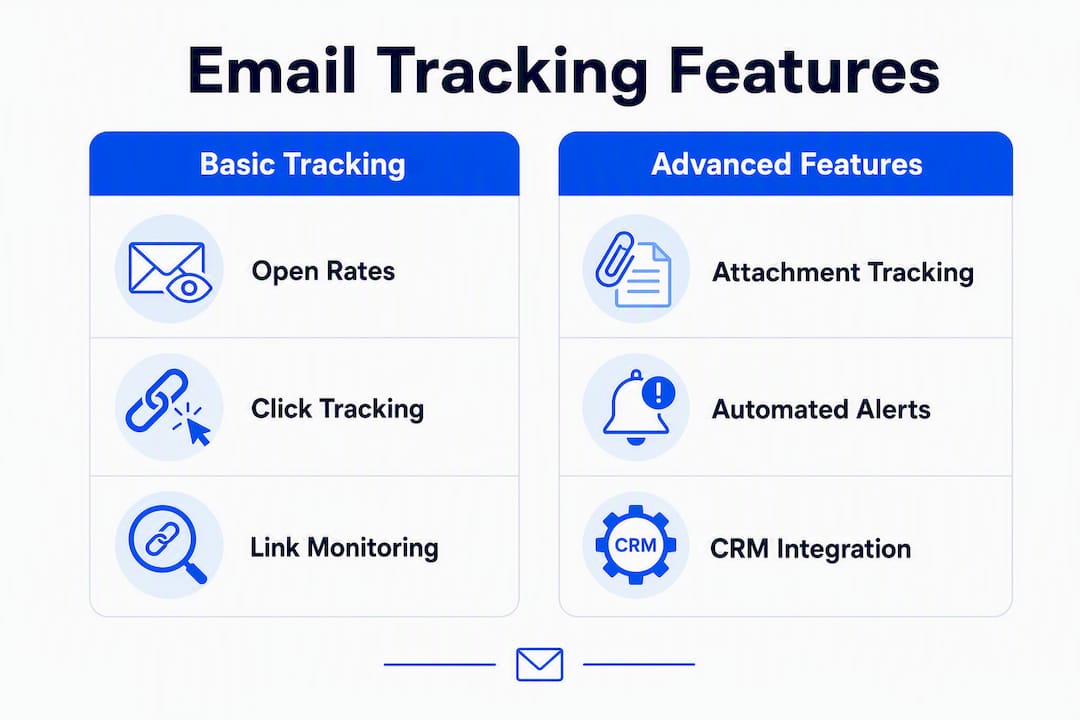
Start with the non-negotiables. For SMB and mid-market B2B tech teams, time-to-value and low operational overhead predict adoption more reliably than feature depth.
Must-haves:
Nice-to-haves (for teams with RevOps bandwidth):
Some vendors offer free tiers with unlimited basic open tracking for individual sellers, while team analytics and sequence automation sit behind paid tiers. Know what your team actually needs before you pay for features that won’t get used.
Security matters too. Verify that the vendor provides a data processing agreement, clear data retention policies, and DKIM/SPF/DMARC compatibility before you route any customer communications through their infrastructure.

Answer first: don’t evaluate tools on demos. Run a live pilot with a small sales pod on real outbound emails. That’s the only way to measure what matters.
Pilot template:
Scoring rubric (1–5 scale):
Pilot success criteria:
A structured rollout beats a big-bang launch every time. Structure beats heroics.
Pro Tip: Embed the tool inside your existing CRM workflow, not alongside it. If reps have to switch tabs or log into a separate dashboard, adoption drops fast. The best tools live inside Gmail or Outlook and push data to HubSpot or Pipedrive automatically.
Real talk: most teams skip this step and pay for it later with deliverability drops or privacy complaints. Don’t.
Compliance checklist for U.S.-based teams:
On deliverability: avoid pixel-only tracking on high-volume sends. Throttle tracked campaigns and monitor bounce rates during the pilot. Some tools offer GDPR-aligned design choices such as opt-out modes or invisible tracking, which also reduce recipient friction in privacy-conscious verticals.
Pro Tip: Look for tools that offer “preview filtering” or scanner-detection logic. This single feature can cut false-positive open alerts by a significant margin, saving your reps from chasing cold leads who never actually read your email.
For cold outreach deliverability, your domain health matters as much as your tool choice.
Measure time-to-next-action, conversion lift on tracked sequences, meeting-to-demo conversion, and touch-to-close velocity. Those four metrics tell the real story.
| Metric | Pilot Baseline | Target Improvement | Timeframe |
|---|---|---|---|
| Time-to-follow-up after open | 24–48 hours | Under 2 hours | Week 1–2 |
| Tracked sequence reply rate | Establish baseline | +15% lift | Week 2–4 |
| Meeting-to-demo conversion | Establish baseline | — | Month 1–2 |
| Touch-to-close velocity | Establish baseline | Reduce by 1 stage | Month 2–3 |
Experiments to run:
On attribution: a tracked open alone doesn’t move a deal. Tie engagement signals to pipeline stage changes in your CRM, not just activity logs. If a prospect opens your proposal four times and the deal advances within a week, that’s a signal worth tracking. If they open once and go dark, it’s noise.
Choose a category that matches your adoption capacity and RevOps bandwidth, not the longest feature list.
| Dimension | Inbox-first | CRM-native | Enterprise platform |
|---|---|---|---|
| Ease of setup | Very fast (minutes) | Fast (within CRM) | Slow (IT-led) |
| CRM integration | Via native connector or API | Native | Native or API |
| Notification fidelity | High (with scanner filtering) | Moderate | High |
| Team features | Basic to moderate | Moderate | Advanced |
| Deliverability impact | Low (if configured correctly) | Low | Variable |
| Pricing model | Freemium to per-seat | Bundled with CRM | Per-seat, contract |
The most common failure: selecting by feature count rather than time-to-value and adoption friction. A tool with 40 features that takes three weeks to configure and requires IT involvement will be ignored by your reps within a month.
Red flags to watch for:
Mitigation: Insist on a live pilot before any contract. Run a CRM activity log audit at day 7. Demand admin controls for privacy and suppression as a condition of procurement. These common enablement gaps show up in tool selection as much as in process design.
The single most important move is to pilot an inbox-first tracker with CRM auto-sync for 7–14 days before committing, and measure adoption and logging fidelity, not feature count.
| Point | Details |
|---|---|
| Pilot before you buy | Run a 7–14 day live pilot with 3–5 reps on real outbound emails to validate CRM sync and notification fidelity. |
| Three must-have capabilities | Require CRM-native auto-sync, inbox integration (Gmail/Outlook), and scanner-filtering for notifications. |
| Measure what moves pipeline | Track time-to-follow-up, sequence reply rate lift, and touch-to-close velocity, not just open rates. |
| Involve RevOps and compliance early | Confirm data ownership, suppression controls, and DKIM/SPF/DMARC compatibility before signing. |
| Saleslabelconsulting accelerates this | Saleslabelconsulting designs pilot frameworks and enablement playbooks that convert tracking signals into measurable pipeline improvement. |
Here’s the honest take: most sales teams are underusing their tracking tools within 90 days of purchase. Not because the tools are bad. Because the rollout was a product decision, not a process decision.
The tools that stick are the ones that live inside the rep’s existing workflow. Gmail. Outlook. The CRM they’re already in. When a rep has to open a separate dashboard to check engagement data, they don’t. When a notification fires inside their inbox and links directly to the contact record, they act.
The other thing most articles won’t tell you: open rates are a lagging indicator of a bad email, not a leading indicator of a good one. The signal that actually predicts pipeline movement is repeated engagement on specific content, especially proposal pages and pricing links. Sophisticated teams use tracking as content telemetry, retiring collateral that gets opened but never clicked and promoting the pieces that drive next steps.
The vendors that serve B2B tech teams best in the U.S. market right now are the ones that have solved the false-positive problem and built clean CRM connectors. Everything else is noise.
Picking the right email tracker is a process decision before it’s a product decision. Saleslabelconsulting works with RevOps leaders, Heads of Sales, and VPs at B2B tech companies to design the pilot framework, configure CRM mapping, and build the adoption playbook that turns tracking data into pipeline movement.
The outcome isn’t a tool recommendation. It’s a repeatable system where engagement signals feed coaching, content decisions, and sequence timing automatically. That’s what predictable revenue looks like in practice.
If you want to run a structured pilot and come out with a measurement framework your executive team can act on, book a discovery call with Saleslabelconsulting. We’ll map your current stack, identify the integration gaps, and design a 14-day pilot you can start next week.
These are the primary sources used to support claims in this article. RevOps and procurement teams should review the vendor pages directly; legal and privacy teams should prioritize the compliance-relevant entries.
Subscribe to our Insights: Expert productivity tips in your inbox
You'll receive 1-3 emails per month. Your data stays private, always.

CRO & Co-Founder with Sales Label Consulting

Watch our Sales Mates Podcast
August 25, 2026 - 8 min read
Read article Read articleAugust 24, 2026 - 8 min read
Read article Read articleAugust 23, 2026 - 11 min read
Read article Read articleAugust 22, 2026 - 8 min read
Read article Read article